
Home › Forums › Calendar Products › Community Events › Issues With Form CSS
- This topic has 5 replies, 2 voices, and was last updated 10 years, 10 months ago by
Brian.
-
AuthorPosts
-
June 15, 2015 at 9:26 am #969499
Keith
ParticipantFirstly, we’re working on a Clients live website so there is a limit to what plug-ins we can deactivate and we definitely can’t revert to the Twenty Fourteen theme.
Basically we’ve just installed the Community Events plug-in and beyond a few issues with the fields which I’ve raised in another thread, our biggest concern is the fact it looks awful.
We don’t have a problem re-styling it however, we were sort of expecting a plug-in that cost nearly $90 to look half-decent. At the moment, there is a mish-mash of fonts, alignment issues and generally, it looks terrible, to the point where we’re wondering if we’ve done something wrong as your main calendar plug-in looks great.
Could you take a look and let me know where we’re going wrong or if we need to re-style the whole form? http://www.geoze.com/events/community/add (test page)
Thanks.
June 15, 2015 at 1:10 pm #969568MemberHi,
Sorry for the issues you are having.
I tried to take a look at the form and it is password protected.
Can you turn on anonymous submissions in the settings so I can take a look?
Also, this is what the form looks like with base css:
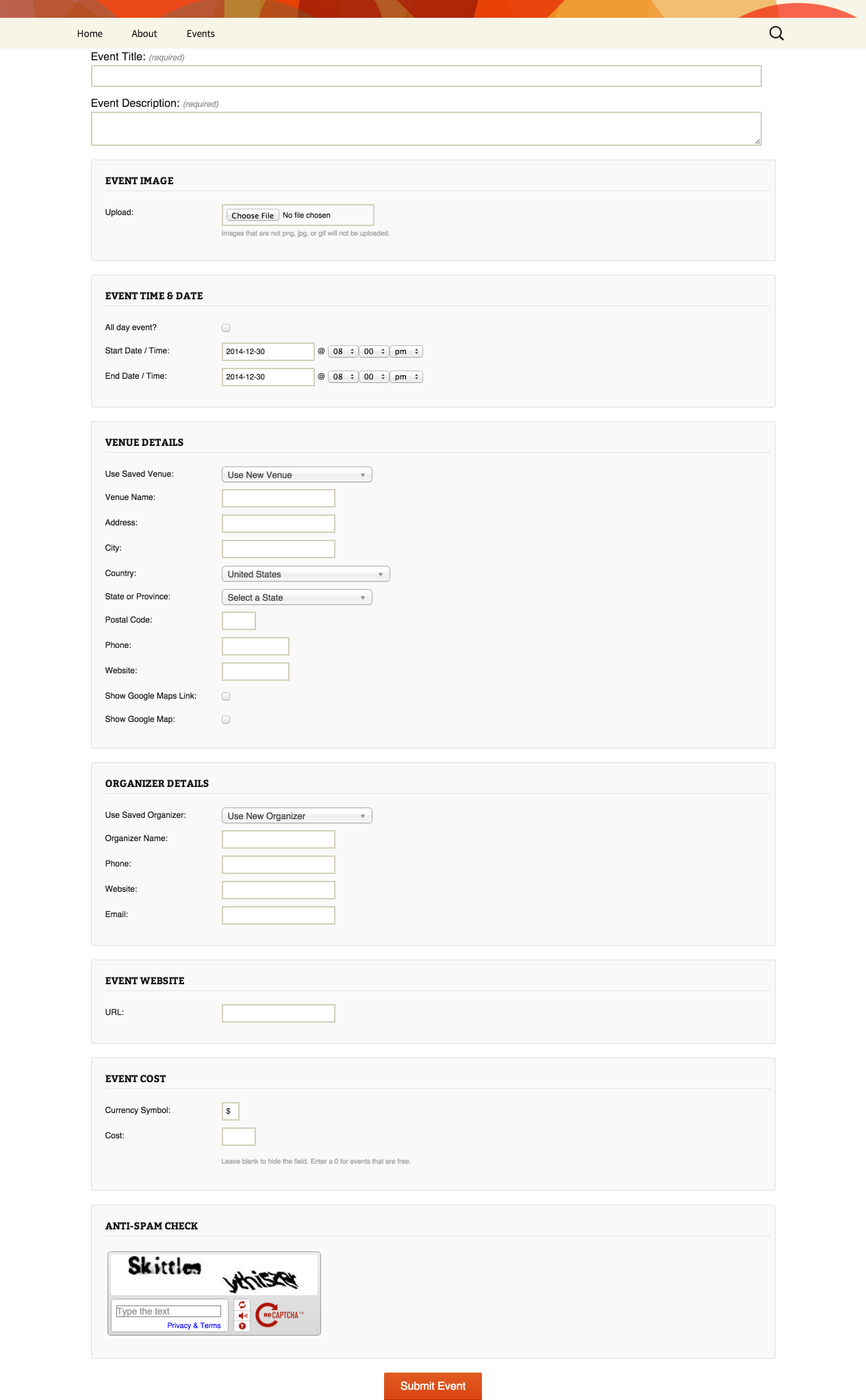
If you are seeing something different then that is most likely a theme css conflict.
Let me know and we can go from here.
Thanks
June 15, 2015 at 1:28 pm #969597ParticipantOops, anonymous form submission is now activated.
And you’ll see our form looks nothing like your example unfortunately.
June 15, 2015 at 2:17 pm #969618MemberOk,
Thanks for opening that up.
This is a Genesis child theme isn’t it? Genesis form css loves to make our form look bad. 🙁
I got this css to help the form look better:
#tribe-community-events input, #tribe-community-events select, #tribe-community-events textarea {

    min-height: 0 !important;

    padding: 12px !important;

    width: auto;

}
#tribe-community-events #EventCountry_chosen.chosen-container {
width: 220px!important;
}The !important in the theme’s stylesheet is causing the issues:
input, select, textarea {

    border: medium none;

    border-radius: 4px;

    font-size: 17px !important;

    margin: 0 !important;

    min-height: 46px !important;

    outline: 0 none !important;

    padding: 0 12px !important;

    width: 100%;

}
So I had to counter that with more !importants, which is the very reason to almost never use them 🙂
The second css selector with for #tribe-community-events #EventCountry_chosen.chosen-container has an!important as well, but since that width is setup by a script is is needed in Genesis unfortunately.
Let me know how that works out.
Thanks
June 16, 2015 at 4:51 am #969690ParticipantMany thanks – all sorted now.
June 16, 2015 at 7:29 am #969740MemberGreat glad it helps.
I am going to close this ticket, but if you need anything else related to this topic or another please post a new topic on the forum and we can help you out.
Thanks
-
AuthorPosts
- The topic ‘Issues With Form CSS’ is closed to new replies.