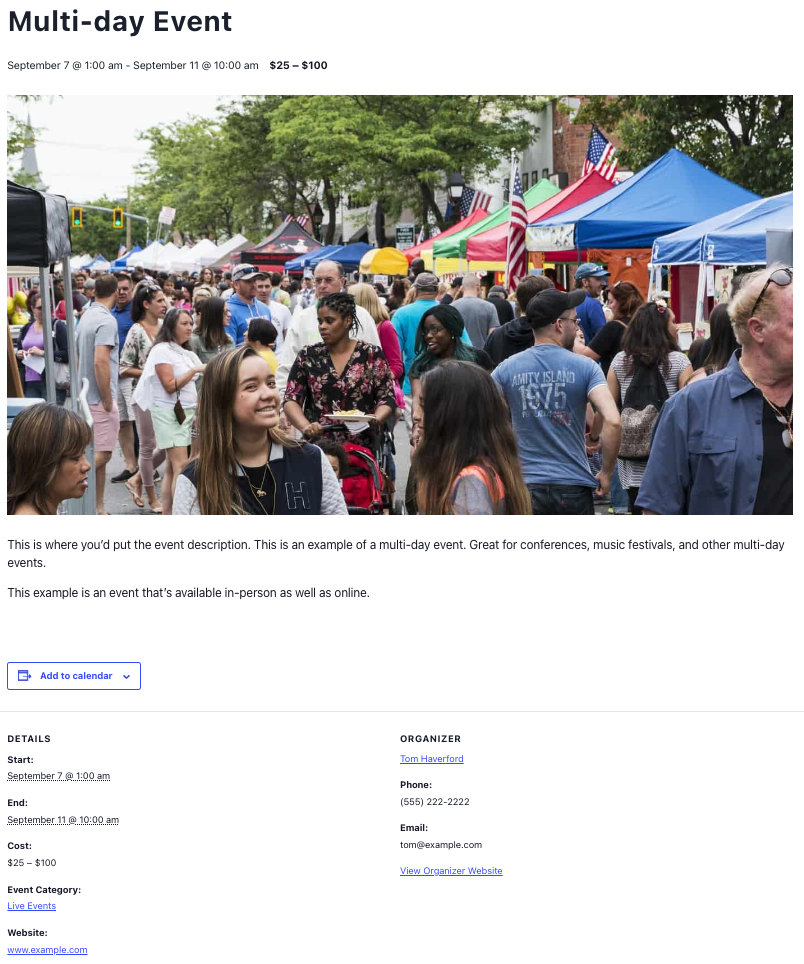
With our core plugin The Events Calendar you can create multi-day events. A multi-day event is any event that spans more than one day. This event can be an all-day event, or you can assign times to the event.
Let’s take a deeper look at multi-day events.
Creating multi-day events
Creating multi-day events looks a bit different depending on the editor you are using.
Block Editor
To create a multi-day event using Block Editor, start off by toggling on the Multi-day event toggle.
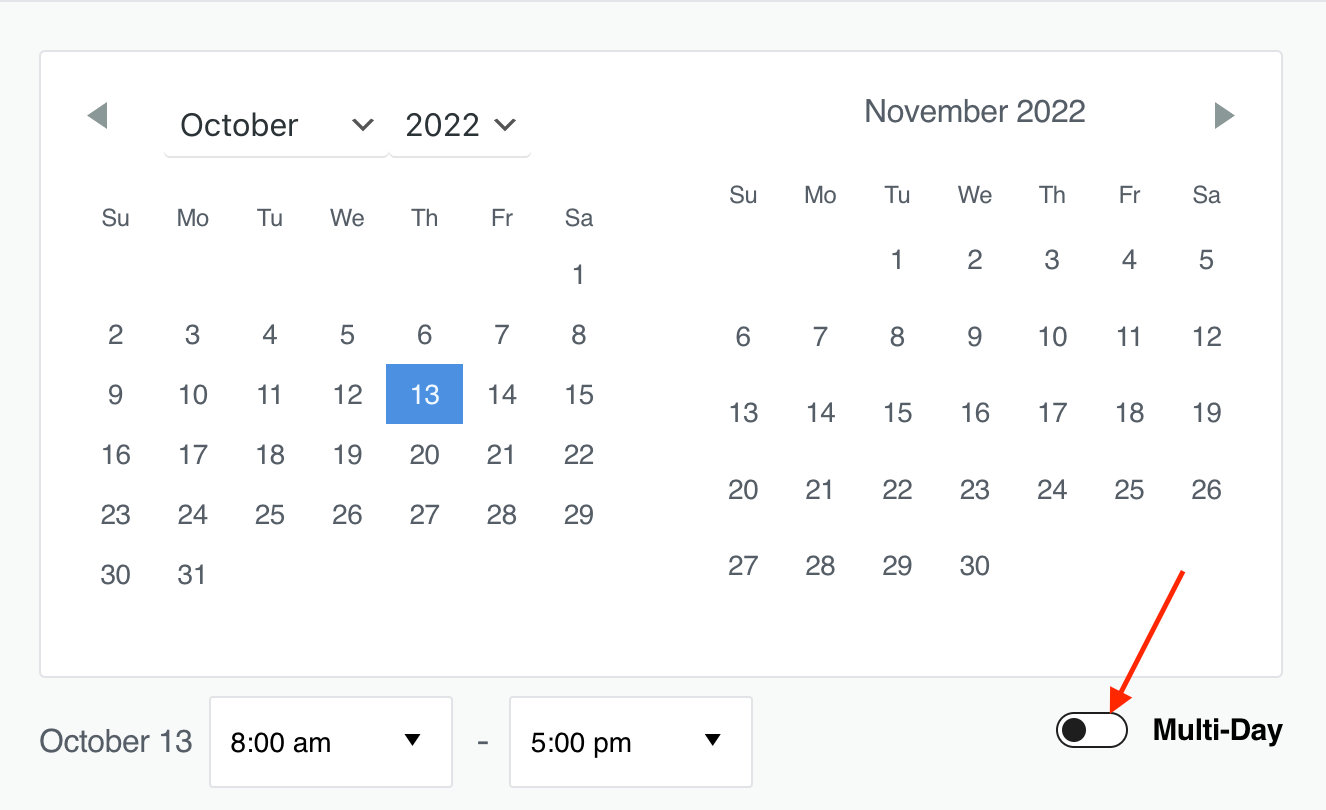
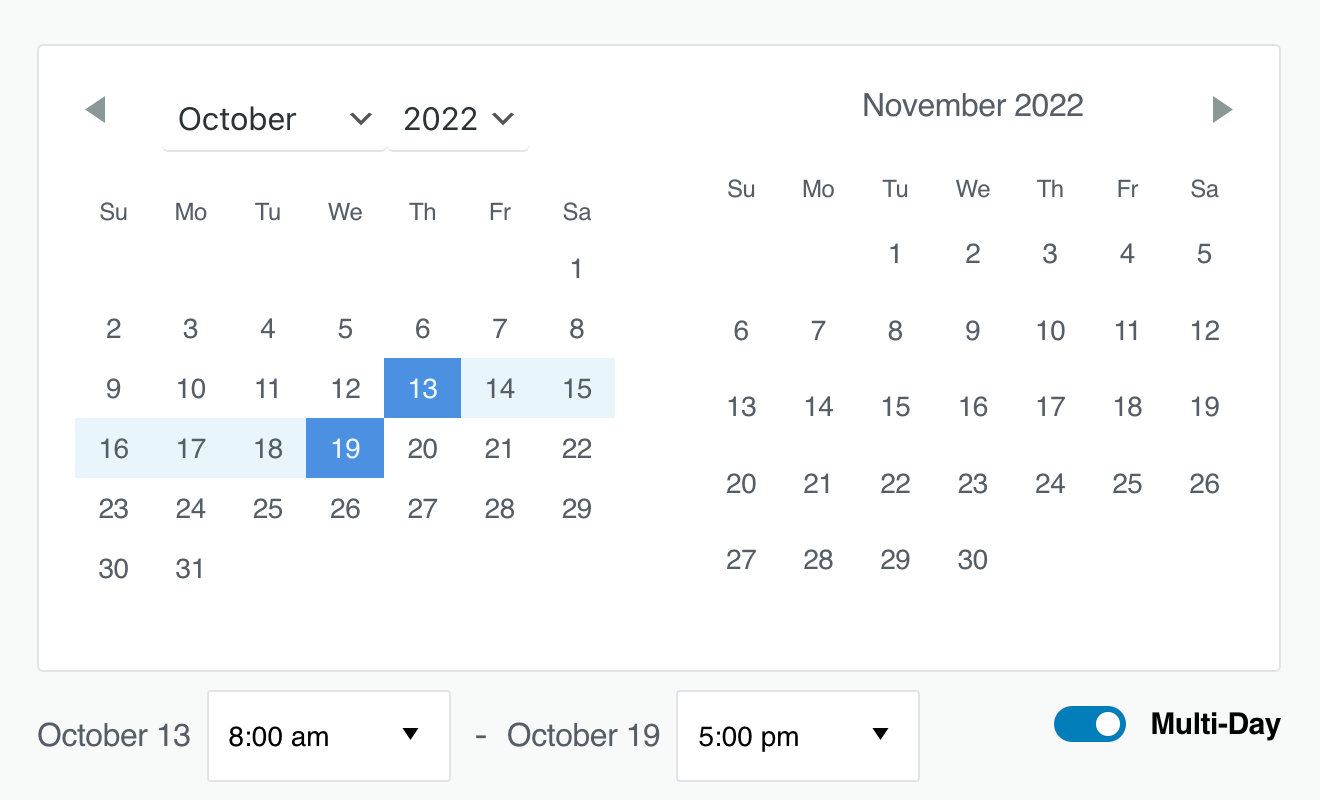
From there, simply select the dates that you’d like to include in the event and change the times or select “all-day”.
Classic Editor
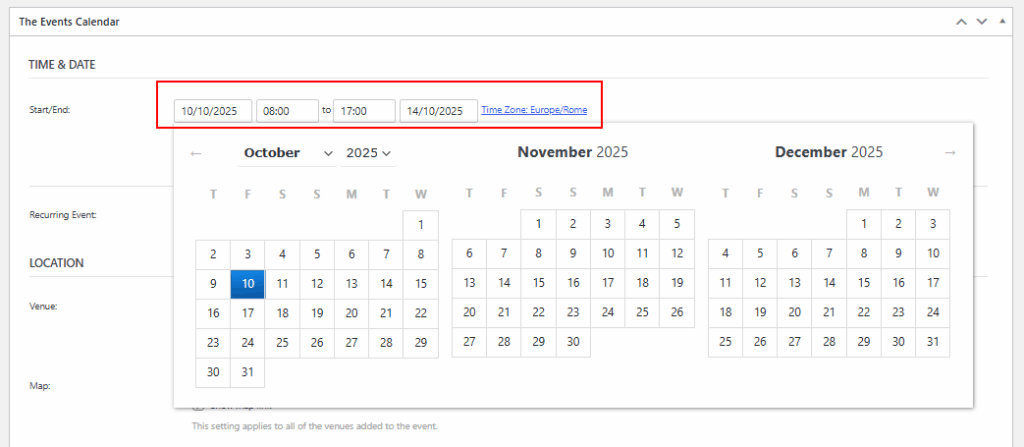
When using Classic Editor, there is no toggle button; you can create a multi-day event by simply selecting different start and end dates.

On the front-end, your multi-day event will look something like this: