
One of the popular features of Events Calendar Pro is the [tribe_events] shortcode, which enables you to insert a calendar—with various customizable attributes—into any page or post on your website.
While shortcodes are useful, determining the correct combination of attributes and implementing them accurately can be cumbersome. To make the use of this functionality easier and faster, we have created a new block called Calendar Embed.
Now you can search and insert Calendar Embed block into your pages/posts.
The Embed Calendar block has four settings groups:
- Display Options
- Category Settings
- Attribute Filters
- Bar Toggles
Display Options
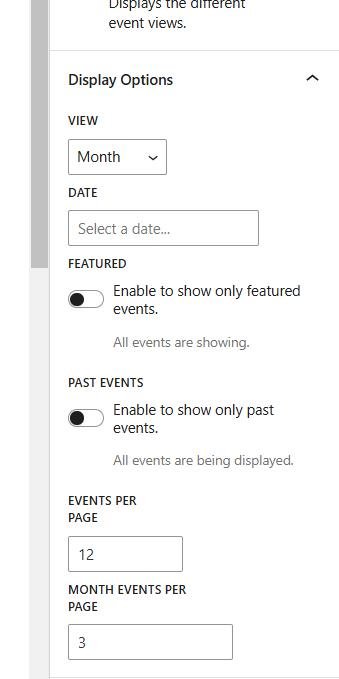
- View: you have the option to display events as a list, as a full calendar month, by a single day, in a summary (compressed list), photo view (shown above), by week, or on a map. These views provide you with a lot of options for displaying your calendar/events in different areas of your website.
- Date: the date setting allows you to choose a starting date for the calendar. For example, if I have an event on October 6th and set the date to the 8th, it will omit the event on the 6th and show everything after the start date I set.
- Featured: toggling this on means only featured events will be shown.
- Past Events: toggling this on means past events will show up, assuming the start date is also set in the past.
- Events Per Page: maximum number of events that will be displayed per page.
- Month Events Per Page: maximum number of events from a single month that will be displayed.
Category Settings
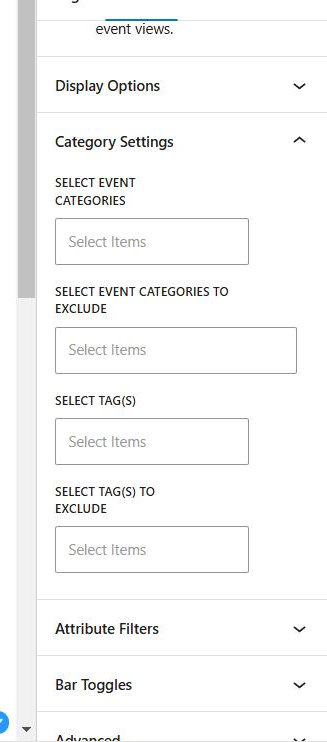
- Select/Exclude Event Categories: the top two settings give you the ability to select the event categories you want to include or exclude from the embeded calendar.
- Select/Exclude Event Tags: the tag settings give you the ability to choose the event tags you would like to include or exclude from the embeded calendar.
Attributes Filters
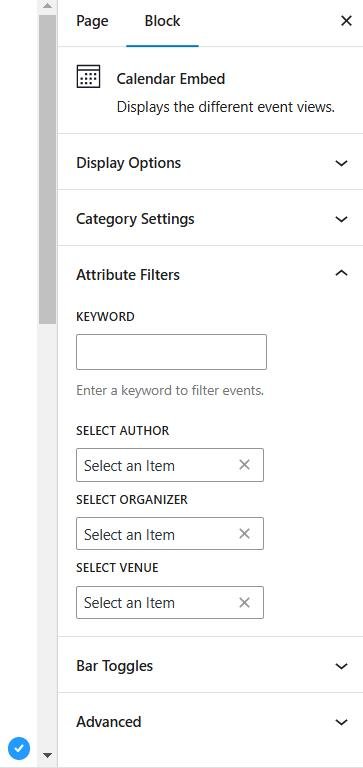
- Keyword: this allows you to select a keyword as a filter from an event’s title, like “fall” in the example above. In that case, it would exclude the “Halloween Bash” and “Friendsgiving Feast” since they don’t have “fall” in the title.
- Select Authors/Organizers/Venues: these settings allow you to filter which events are shown by authors, organizers, or venues.
Bar Toggles
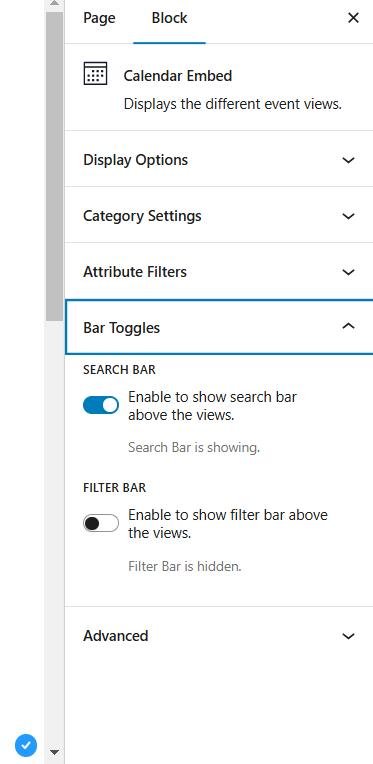
- Search Bar: this setting allows you to toggle the search bar of the calendar on or off.
- Filter Bar: if you have the filter bar add-on, this setting allows you to toggle it on or off.