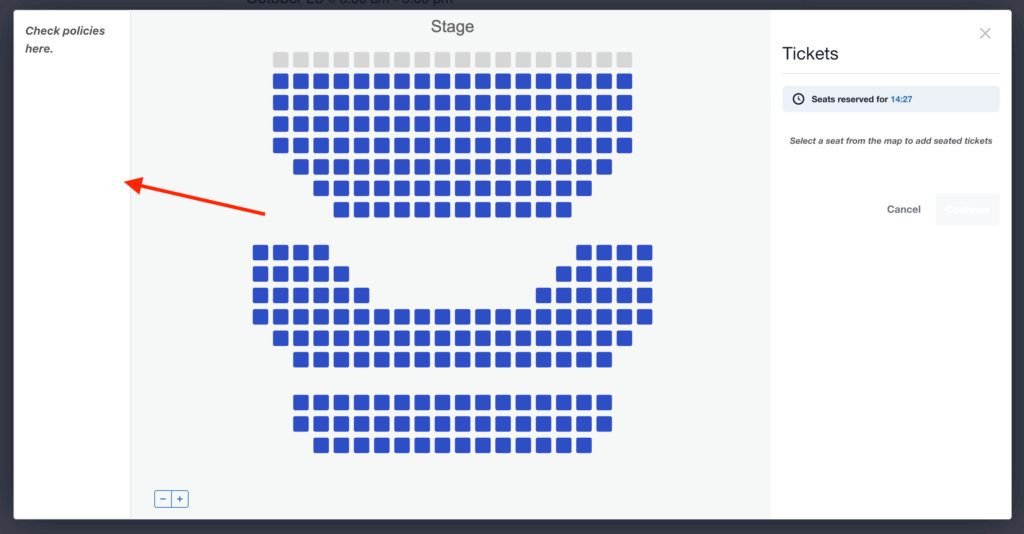
Do you want to enhance the user experience in your Seating modal? You can easily add custom information, warnings, or new layout elements to remind users about time limits or display crucial policies.
This is achieved using simple CSS snippets and requires no modifications to core plugin files.
How to apply this CSS:
- Go to your WordPress dashboard → Appearance → Customize → Additional CSS.
- Paste the CSS snippet above and publish your changes.
After adding the code, reload the page and open the Seating modal. You should now see a clear warning displayed based on the option you chose.
Three Options for Customization
You can choose one of the following approaches based on how prominent you want the message to be:
Option 1: Full-Width Banner (Maximum Urgency)
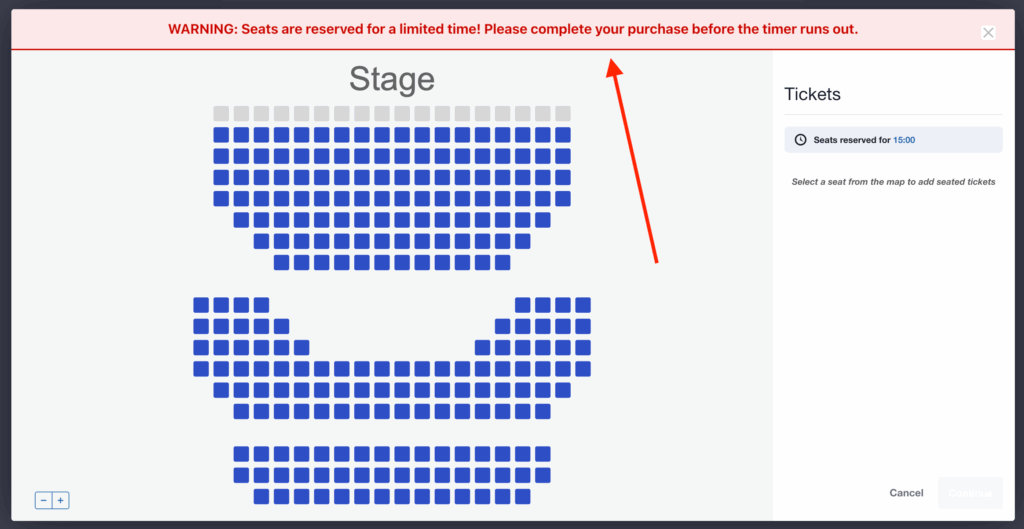
This code creates a prominent, full-width red banner that spans across the top of the entire modal. This is the most effective way to communicate urgency.
.tec-tickets-seating__modal > [role="document"]::before {
    content: "WARNING: Seats are reserved for a limited time! Please complete your purchase before the timer runs out."; /* Customize this content */
    display: block;
    text-align: center;
    position: relative;
    padding: 12px 20px;
    margin: 0;
    background-color: #fce8e8;
    color: #c00;
    border-bottom: 2px solid #c00;
    font-weight: bold;
    font-size: 1.1em;
    width: 100%;
}
Result:
Option 2: Right Sidebar Box (Targeted Warning)
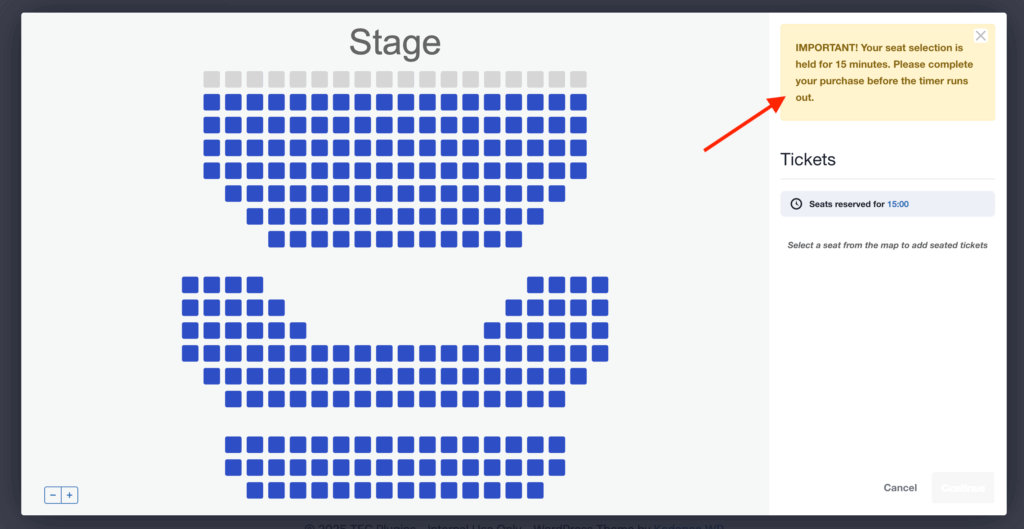
This code inserts a visually distinct warning box only inside the existing right sidebar.
.tec-tickets-seating__modal-sidebar::before {
    content: "IMPORTANT! Your seat selection is held for 15 minutes. Please complete your purchase before the timer runs out."; /* Customize this content */
    display: block;
    background: #fff3cd;
    color: #856404;
    padding: 20px;
    margin-bottom: 10px;
    border: 1px solid #ffeeba;
    border-radius: 4px;
    font-weight: bold;
}
Result:
Option 3: New Left Sidebar (Three-Column Layout)
This advanced option converts the modal into a three-column grid by adding a new, narrow sidebar to the left of the seating map. Use this to display persistent information or instructions.
.tribe-dialog__content.tribe-modal__content {
    display: grid;
    grid-template-columns: 150px 1fr 300px;
    gap: 15px;
    align-items: start;
}

.tec-tickets-seating__iframe-container {
    grid-column: 2 / 3;
    width: 100%;
    height: 100%;
}

.tec-tickets-seating__modal-sidebar_container {
    grid-column: 3 / 4;
}

.tec-tickets-seating__iframe-container::before {
    content: "Check policies here."; /* Customize this content */
    grid-column: 1 / 2;
    display: block;
    padding: 15px;
    border: 1px solid #e0e0e0;
    border-radius: 4px;
    background-color: #ffffff;
    color: #555555;
    font-size: 1.1em;
    font-style: italic;
    font-weight: bold;
    line-height: 1.6;
}
Result: