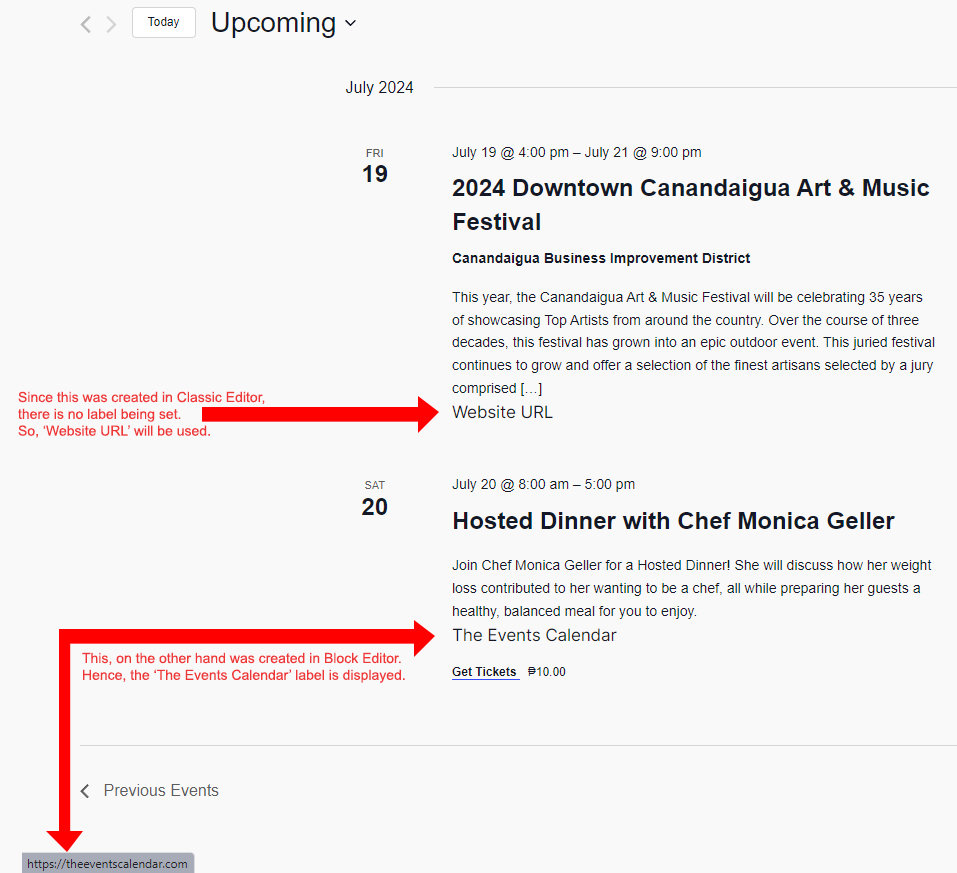
To maintain a clean and concise view, not all event details such as website URL are displayed in the List View. However, if you would like to include the event website URL, you can learn how in this article.
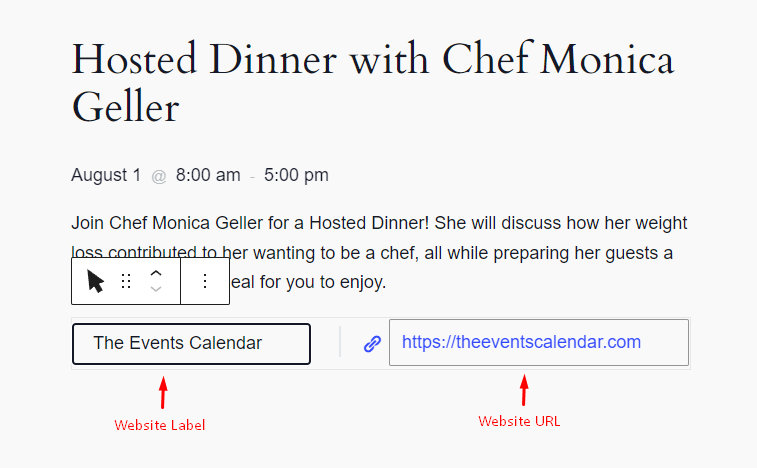
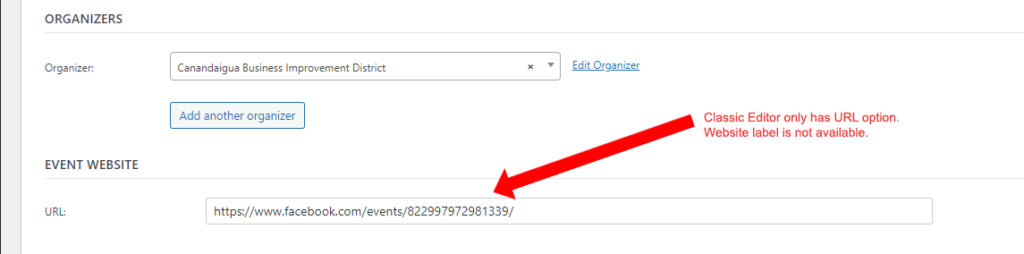
There is a slight difference on how you add the website URL and label on the Block Editor and Classic Editor. In the Block Editor, you can add the website label and the URL, as shown below. While in the Classic Editor, you can only add the URL and then use a custom code snippet to be able to add the label.
For Classic Editor, Website Label is not present in the option. Only the actual Website URL can be filled.
With this, you can customize the URL label to display in the List View. In this example, we are using the default label ‘Website URL’ based on the code snippet below.
Displaying the website details above in your List View, you can add the following snippet to your theme’s functions.php file or use the Code Snippets plugin as shown here.
<?php
add_action(
	'tribe_template_after_include:events/v2/list/event/description',
	function ( $file, $name, $template ) {
		global $post;
		$content = $post->post_content;

		preg_match('/<!-- wp:tribe\/event-website {"urlLabel":"(.*?)"} \/\-->/', $content, $matches);

		$urlLabel = ((isset($matches[1])) ? $matches[1] : 'Website URL');

		echo tribe_get_event_website_link( $post->ID, $urlLabel, '_blank' );
	},
	10,
	3
);
The code snippet provided above will generate an output similar to the following example: